Next.js Edge Runtime: Ultra-Fast Serverless Functions
Deploy Next.js functions to the Edge for global, low-latency performance. Learn Edge Runtime capabilities, limitations, and use cases.
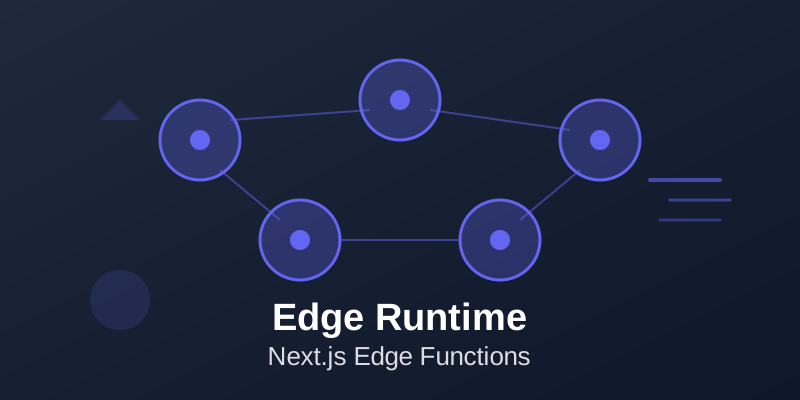
Next.js Edge Runtime enables deploying serverless functions to edge locations globally, providing ultra-low latency responses. Edge functions run on a lightweight JavaScript runtime based on Web Standards, executing code close to users rather than in centralized data centers. This guide covers Edge Runtime capabilities, differences from Node.js runtime, use cases, limitations, and best practices for building globally performant applications.
📚 Table of Contents
Understanding Edge Runtime
Edge Runtime is a lightweight JavaScript runtime based on Web Standards, running in edge locations worldwide. Unlike Node.js runtime, Edge Runtime doesn't include Node.js APIs. It supports Web APIs like fetch, Request, Response, and URL.
Edge functions have strict size limits (typically 1MB) and execution time limits (tens of seconds vs minutes for regular Lambda). They start instantly (milliseconds) vs cold starts (hundreds of milliseconds) for Node.js functions. Edge is perfect for lightweight operations needing global distribution.
Not all Node.js code runs on Edge - check compatibility. Frameworks like Vercel Edge Functions and Cloudflare Workers use similar models. Edge Runtime brings serverless closer to users.
Edge Runtime Capabilities
Edge Runtime supports modern JavaScript features, async/await, dynamic imports, and Web APIs. Use fetch for HTTP requests, crypto APIs for encryption, and streams for processing data. Access request headers, cookies, and geographic information.
Implement authentication, A/B testing, redirects, or content transformation at the edge. Edge functions can proxy requests to backends, adding custom headers or authentication. Generate dynamic content based on user location or request characteristics.
Implement edge-side rendering for better performance. Use edge functions as API routes handling global traffic with minimal latency. While capabilities are more limited than Node.js, they cover many serverless use cases effectively.
When to Use Edge Runtime
Use Edge Runtime for: lightweight API endpoints, authentication middleware, redirects and rewrites, A/B testing, personalization based on geo-location, proxy requests with modifications, edge-side rendering, or serving dynamic content globally. Edge excels at request routing, transformations, and generating small responses. Don't use Edge for: heavy computations, large dependencies, Node.js-specific APIs, database operations requiring connection pooling, or long-running operations.
Consider latency requirements - Edge provides better response times globally but Node.js runtime offers more capabilities. For applications with global users, Edge Runtime provides significant performance benefits for appropriate workloads.
Implementing Edge Functions
In Next.js, export edge config from API routes or pages: export const runtime = "edge". This tells Next.js to deploy that route to Edge Runtime instead of Node.js runtime. Access request data using Web Standard Request objects.
Return responses using Web Standard Response objects. Implement middleware using Edge Runtime for request processing before page rendering. Middleware runs on every request, perfect for authentication, logging, or routing logic.
Use edge functions for API routes that need global distribution. Keep edge function code small and dependencies minimal. Test edge functions thoroughly - behavior can differ from Node.js runtime.
Use TypeScript for better type safety.
Limitations and Workarounds
Edge Runtime limitations include: no Node.js APIs, limited npm package support, size constraints, execution time limits, and cold start behavior (though much faster than Lambda). Workarounds: use Web Standard APIs instead of Node.js equivalents, use edge-compatible libraries, lazy load dependencies, or fall back to Node.js runtime for incompatible code. Some npm packages work on Edge, others don't - check compatibility.
Can't use fs, process, or child_process modules. Database clients may not work - use HTTP-based APIs instead. For complex operations, call Node.js functions from Edge functions.
Understand trade-offs between Edge constraints and performance benefits.
Edge Middleware Patterns
Next.js middleware runs on Edge Runtime, executing before request completes. Use middleware for: authentication checks, redirects based on conditions, request/response modification, logging, A/B testing, feature flags, or geographic routing. Middleware runs on every request to specified paths.
Keep middleware fast - it affects all requests. Return NextResponse to continue, redirect, or rewrite. Access request headers, cookies, and geo information.
Modify request/response headers. Implement custom routing logic. Middleware is powerful but use judiciously - slow middleware affects all routes.
Test performance impact carefully.
Performance and Monitoring
Monitor Edge function performance using platform-specific tools. Track invocation count, execution duration, and error rates. Edge functions should execute in milliseconds.
Monitor globally - performance varies by region. Set up alerts for errors or slow responses. Log important information but avoid excessive logging.
Use distributed tracing to understand request flow. Monitor costs - while generally cheap, high-volume applications can accumulate costs. Optimize function size and dependencies.
Benchmark against Node.js runtime for your use cases. Edge Runtime provides better performance for appropriate workloads but isn't universally faster. Measure actual performance improvements.
💡 Key Takeaways
Next.js Edge Runtime enables building globally performant applications by running serverless functions close to users. While more limited than Node.js runtime, Edge Runtime's capabilities suffice for many use cases, providing significantly better latency for global users.
Conclusion
Next.js Edge Runtime enables building globally performant applications by running serverless functions close to users. While more limited than Node.js runtime, Edge Runtime's capabilities suffice for many use cases, providing significantly better latency for global users. Understanding when to use Edge versus Node.js runtime is key - use Edge for lightweight, latency-sensitive operations and Node.js for complex processing. As Edge Runtime evolves, capabilities will expand while maintaining performance benefits. For applications serving global audiences, leveraging Edge Runtime where appropriate can dramatically improve user experience. Start with Edge-appropriate use cases, measure improvements, and expand usage as you understand the platform.